

Online DTF gang sheet builder for arranging custom designs
Custom DTF Transfers

DTF Gang Sheet Builder

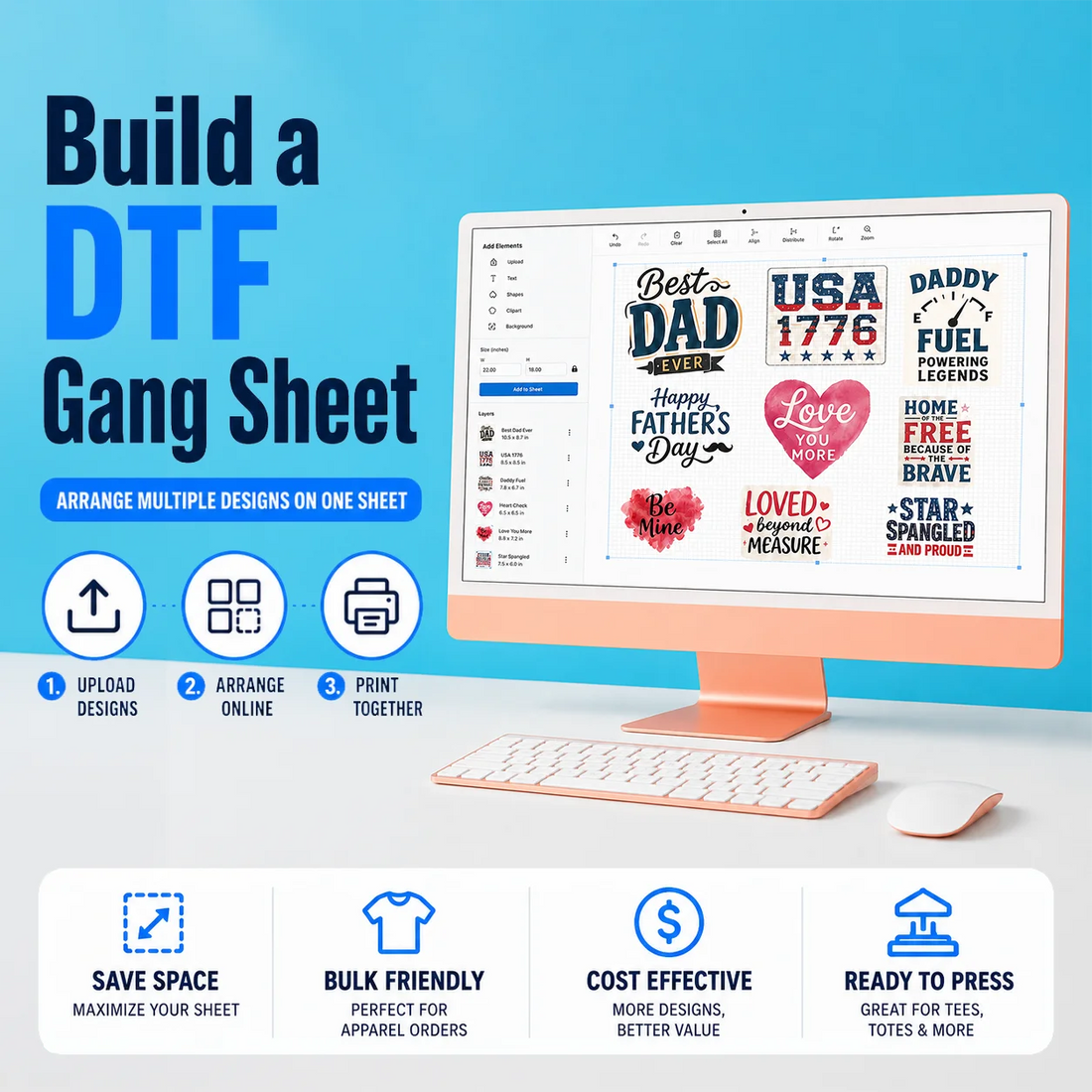
Build a custom DTF gang sheet directly in your browser. Upload, resize and arrange multiple designs on a 22-inch-wide sheet, preview your layout and order ready-to-press DTF transfers.

  • Free Online Builder
  • No Minimum Order
  • Multiple Sheet Lengths
  • Production Review
As Low As $0.017 / sq inch
|
Same-Day Production & Fast Shipping
|
No Minimum, No Setup Fees
$6.60 $8.19 19% OFF per gang sheet
1 Select Sheet Size (all sheets are 22" wide)
2 Quantity
Build a Gang Sheet

Opens the gang sheet builder — upload & arrange your designs, then check out.

Using an .ai file? Convert text to outlines or upload a high-resolution transparent PNG to prevent font changes.

Save your work by logging into your account, return to saved drafts, or reopen and update eligible gang sheets from previous orders.

Returning customer with a saved layout in our previous builder? Access the previous version here.

Previous Gang Sheet Builder (old version)
Secure checkoutFree shipping over $99100% satisfaction guarantee

Complete Your Order with Blanks

No Minimums Ships With Your Transfers
Shop All Blanks
How It Works

How to Build a DTF Gang Sheet Online

01

Choose Your Sheet Size

Select a 22-inch-wide gang sheet in the length that best fits the number and size of your designs.

02

Open the Builder

Launch the online DTF gang sheet builder and start with a blank sheet. Please sign in before you start to save drafts, access previous orders and reorder or update your gang sheets later!

03

Upload Your Artwork

Upload high-resolution artwork with a transparent background. Transparent PNG files are recommended for the most predictable results.

04

Resize and Arrange Your Designs

Resize, duplicate and position your artwork within the printable area. Leave enough space between designs for easy cutting after pressing.

05

Review Your Layout

Check the size, placement, image quality and background of every design. Everything visible in the submitted print area may be printed.

06

Add to Cart

When your layout is complete, confirm the design and add the gang sheet to your cart.

Artwork

Artwork Guidelines

New to gang sheets? Don’t worry. Our production team reviews submitted layouts for common print-quality concerns and may contact you by email when clarification is needed.

For the best results:

  • Upload high-resolution artwork — 300 DPI at the final size is ideal
  • Use a transparent background whenever possible
  • Prepare colors in sRGB mode
  • Avoid screenshots and heavily compressed images
  • Check small text, fine details and spacing
  • Review the complete layout before adding it to the cart

Using an Adobe Illustrator (.ai) file? Custom fonts may change if the text is not outlined. For the most predictable result, convert text to outlines or export your finished design as a high-resolution transparent PNG. Zoom in and check all fonts before submitting your order.

Printed colors may vary slightly from what you see on screen because DTF production uses CMYK and white inks.

For the best results, upload high-resolution PNG files with transparent backgrounds. Artwork prepared at 300 DPI at the final print size is recommended. If uploading an Adobe Illustrator file, convert fonts to outlines or export the completed artwork as a PNG to help prevent font changes.

Why the Builder

Why Use Our DTF Gang Sheet Builder?

Free Online Builder

Lay out your designs in your browser at no additional cost. You only pay for the printed gang sheet when you place your order.

22-Inch-Wide Sheets

Every gang sheet is 22 inches wide and available in multiple lengths, so you can pick the length that fits your artwork.

Multiple Designs on One Sheet

Place different designs, logos, names and artwork sizes on the same sheet, and resize and arrange each one independently.

No Minimum Order

Order one sheet or a hundred — there are never any minimums, setup fees, or hidden charges.

Online Layout Preview

See your full layout on screen before you order, so you can check size, placement and spacing.

Ready-to-Press Transfers

Your sheet arrives ready to press on cotton, polyester, cotton-poly blends and many compatible performance fabrics, with long-lasting color and flexibility when properly applied and cared for.

Sheet Sizes

Pick Your Sheet Size

22" × 12"

1 Foot Sheet

Great for a few designs or a quick reorder — fits roughly 4–6 adult prints.

22" × 120"

10 Foot Sheet

Best value for bulk runs — pack 30+ prints and drop your cost per transfer even further.

Which Option

Should I Use the Builder or Upload a Print-Ready Gang Sheet?

Use the DTF Gang Sheet Builder if you want to upload individual designs and arrange them online.

If you already created a complete 22-inch-wide gang sheet in Canva, Adobe Illustrator, Photoshop or another design program, use our Upload-Ready Gang Sheet option instead. Your uploaded file should already contain the complete print layout at the correct dimensions.

Who It Is For

Who Should Use the Gang Sheet Builder?

The online builder is ideal for:

  • Apparel decorators and print shops
  • Small businesses and clothing brands
  • Schools, teams and event organizers
  • Creators ordering multiple logos or designs
  • Customers who do not have a print-ready gang sheet
  • Anyone who wants to combine different artwork sizes on one sheet
Transparent Pricing

Longer Sheets, Lower Price

The longer your gang sheet, the less you pay per inch. Fill every square inch to maximize your savings.

$0.55 /IN 1 Foot · per inch
$0.40 /IN 5 Feet · per inch
$0.37 /IN 10 Feet · per inch
$0.36 /IN 20 Feet · per inch

Bulk pricing on large orders · Wholesale inquiries welcome — apply here.

Turnaround

Production, Shipping and Application

Qualifying orders placed before 2 PM CT may be eligible for same-day production. Production time and carrier transit time are separate, and same-day production does not guarantee same-day shipping & Local Pickup.

Application Guide

How to Apply DTF Transfers

1

Heat Press

290–310°F · medium pressure · 7–10 sec · hot peel · re-press 3–5 sec for a soft finish.

2

Home Iron

Max cotton setting · firm pressure · 12–15 sec · let cool · peel slowly.

3

Cricut EasyPress

320°F · medium pressure · 10–12 sec · peel warm · re-press for a soft feel.

Heat presses and garments can vary. Test your settings before completing a full production run.

FAQ

Gang Sheet Questions

A DTF gang sheet builder lets you upload, resize, duplicate and arrange multiple designs on one print sheet. You can create a complete layout online without using separate gang sheet software.
Yes. You can create and preview your layout at no additional cost. You pay for the printed gang sheet when you place your order.
Our gang sheets are 22 inches wide and are available in multiple lengths. Choose the length that gives your designs enough room while minimizing unused print space.
For the most predictable results, upload a high-resolution PNG with a transparent background. Artwork prepared at approximately 300 DPI at its final print size is recommended. Avoid screenshots, thumbnails and heavily compressed images.
Yes. You can place different designs, logos, names and artwork sizes on the same sheet. Resize and arrange each design independently within the available print area.
Yes, but live text in an .ai file may change if a custom font is missing or unavailable. Convert text to outlines before uploading, or export the finished design as a high-resolution transparent PNG. Always zoom in and review small text and custom fonts before submitting your order.
Our production team reviews submitted layouts for common print-quality concerns and may contact you by email when clarification is needed. Please review your artwork, spelling, dimensions, placement and complete layout before submitting your order.
Yes. Sign in to your customer account before starting or saving your layout. Unfinished gang sheets can be found in the Drafts section, where you can reopen, update and complete them later.
Yes. Sign in and open the Previous Orders section in the builder. You can select a previous gang sheet and reorder it as-is or update the layout before placing a new order. If you created a layout without signing in and cannot locate it, contact us with any available order or layout details.
Use the DTF Gang Sheet Builder when you have individual designs and want to arrange them online. Choose Upload-Ready Gang Sheets when you already have a complete 22-inch-wide gang sheet prepared at the correct print dimensions.
Get Started

Ready to Build Your Gang Sheet?

Upload your designs, arrange your layout and order a custom DTF gang sheet online.

Build Your Gang Sheet
Reviews

Customer Reviews

Customer Reviews

Based on 102 reviews
86%
(88)
8%
(8)
3%
(3)
1%
(1)
2%
(2)
F
Flaming Beard
Great Shop

Sam's has always done a great job with all of our DTF requests

s
shelby chekal
Best around

Sams is by far the best ever! I can call them or email them with questions or concerns and they are always very prompt at getting back to me. Their customer service is amazing and their products are fabulous!

N
Nicole Winkfield
I loved my items. so perfect and express shipping worked. super awesome

thank you

S
Stephen Sheaffer
Great Service

I spent a lot of time trying to get transfers made and Sam's was the only one that would print what I needed. Not only were they fast but quite affordable. I have many new ideas and Sam's will be part of the journey. Highly recommend. 10 stars if I could

N
Natalie Davis
Great quality!!! Great customer service!!!

I have been ordering DTFs from this company for several months and the quality and customer service is always impeccable.