







Creating Custom Heat Transfer Sheets for Apparel

Customizing apparel has never been easier. With the advent of custom heat transfer sheets, the possibilities are endless.
These sheets allow you to transfer your unique designs onto fabric. They're used widely in the apparel industry, from small businesses to DIY enthusiasts.
But what if you're new to this? How do you create a custom heat transfer sheet for your apparel?
This guide is here to help. We'll walk you through the process, from understanding the basics to creating your own designs.
We'll also introduce you to DTF sheets, a modern and affordable solution for heat transfer printing. Plus, we'll show you how to use a gang sheet builder to maximize efficiency.
By the end, you'll be ready to upload your ready-to-print gang sheet and start creating your own custom apparel. Let's get started.
Custom heat transfer sheets are a game-changer for apparel customization. These sheets simplify the process of adding designs to clothing.
They work by printing or cutting designs on a special sheet. Then, heat is applied to transfer the image onto fabric.
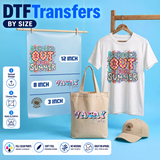
These sheets accommodate various materials, expanding creative possibilities. They can be used on t-shirts, hats, and more.
Both businesses and individuals use them for unique designs. This versatility makes them essential for anyone in custom apparel.
Heat transfer sheets offer several advantages over traditional methods:
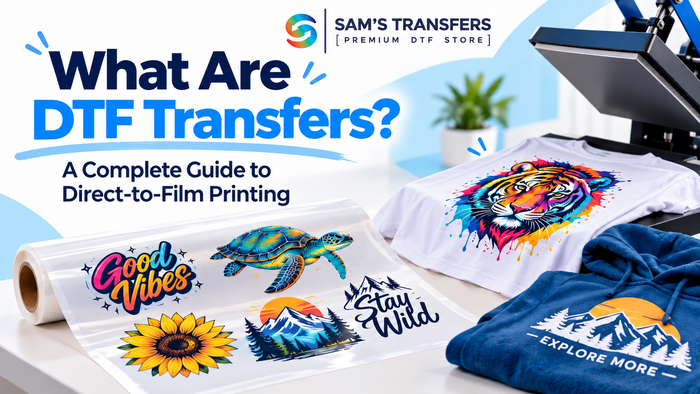
DTF sheets, or Direct to Film sheets, represent a breakthrough in printing. They offer a seamless and vibrant transfer process.
Explore DTF Sheets to see how they can transform your custom printing process.
Designing a custom heat transfer involves creativity and precision. Start by envisioning the design that best represents your brand or idea.
The digital design process is crucial. Use graphic software to create a clean and detailed image.
Attention to color and resolution ensures the final product looks professional. High resolution prevents pixelation.
Consider the size and placement of the design on apparel. Proper sizing maximizes aesthetic appeal.
Review your design multiple times before printing. This step helps catch any errors that could affect the outcome.
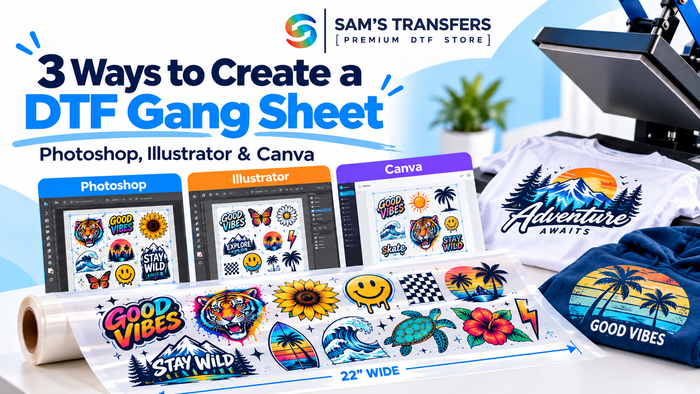
Gang sheets can significantly enhance efficiency when printing custom designs. They allow multiple images on one sheet, saving resources.
Once your gang sheet is ready, upload it for printing.
Heat presses play a key role in the transfer process. They apply the necessary pressure and heat for adherence.
Choosing the right heat press is crucial. It determines how well the designs stick to the fabric.
Visit our DTF Heat Press Tutorial for tips on achieving flawless transfers.
Small businesses often face budget constraints. DTF printing provides a high-quality, affordable alternative to traditional printing methods.
Custom heat transfers open up vast opportunities for creativity. They allow brands to offer unique, personalized products.
By adopting these techniques, you can appeal to broader audiences and expand product lines while enhancing your brand presence.
Q: What are custom heat transfer sheets used for?
A: Custom heat transfer sheets are used to transfer unique designs onto fabrics like t-shirts, hats, and tote bags. They allow for detailed, vibrant, and durable prints that are perfect for personal projects, small businesses, and promotional items.
Q: What is a gang sheet, and how does it work?
A: A gang sheet is a large sheet containing multiple designs arranged for efficient printing. It helps save material costs by allowing you to print and transfer multiple designs at once. Use our Gang Sheet Builder to create your own.
Q: How do I apply custom heat transfers to apparel?
A: Custom heat transfers are applied using a heat press machine. Position the transfer on the fabric, apply the correct heat and pressure settings, and peel off the backing after cooling. For a detailed guide, check out our DTF Heat Press Tutorial.
Join our newsletter for guides, new designs and shop-growth ideas — a few great reads each month.
Comments (0)
Be the first to leave a comment.
Leave a Comment