How to Make Your Own Iron-On Transfers: A Step-by-Step Guide
Matt Hayes
0 comments
Creating your own iron-on transfers is one of the easiest ways to personalize t-shirts, hoodies, tote bags, and other fabric items. Whether you are making a one-of-a-kind gift, creating shirts for an event, or starting a small apparel business, custom iron on transfers provide an affordable way to bring your designs to life. Many creators start with iron on transfer paper at home, while others choose professionally printed custom heat transfers for better color, durability, and consistency.
Whether you are making a one-of-a-kind gift, creating shirts for an event, or starting a small custom apparel business, iron-on transfers give you a simple way to bring your designs to life.
There are a few different ways to make iron-on transfers. Some people use traditional transfer paper with a home printer, while others use professionally printed DTF transfers for brighter colors, better durability, and a cleaner finish.
In this guide, you will learn how iron-on transfers work, what materials you need, how to prepare your artwork, how to choose the right transfer size, how to apply transfers correctly, and when it may be better to order custom DTF transfers instead of printing them at home.
Key Takeaways
Iron-on transfers can be made at home using transfer paper and an inkjet printer.
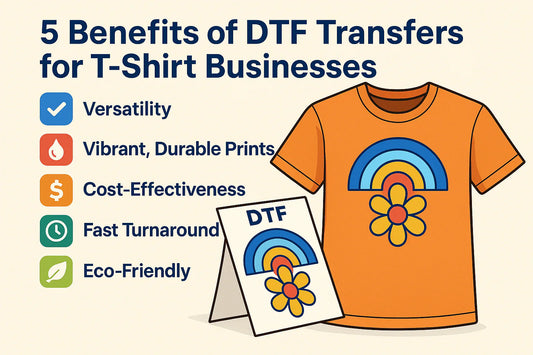
DTF transfers are a professional alternative with stronger durability and vibrant colors.
High-resolution artwork gives better results. For best quality, use clean artwork at 300 DPI whenever possible.
Choosing the right transfer size is important for a professional-looking shirt.
Cotton and cotton-blend fabrics usually give the best results.
A heat press provides more consistent pressure than a household iron.
Proper washing and care help your transfer last longer.
What Are Iron-On Transfers?
Iron-on transfers are designs that are applied to fabric using heat and pressure. The design is usually printed onto transfer paper or film, placed on the garment, and then pressed with a household iron or heat press.
Traditional iron-on transfer paper is popular for simple DIY projects because it can be printed at home. However, it may not always provide the same durability, stretch, or professional finish as DTF transfers.
DTF, or Direct-to-Film, transfers are printed professionally on special film using DTF inks and adhesive powder. They can be applied to many fabric types and are commonly used by apparel businesses, Etsy sellers, schools, sports teams, and custom t-shirt creators.
Iron-On Transfer Paper vs DTF Transfers
Both methods can help you create custom apparel, but they are not the same.
Feature
Transfer Paper
DTF Transfers
Printed at home
Yes
No, professionally printed
Works on dark shirts
Limited
Yes
Color vibrancy
Moderate
High
Durability
Basic to moderate
Strong
Best for
Simple DIY projects
Professional apparel
Equipment needed
Inkjet printer and iron
Iron or heat press
If you only need a quick craft project, transfer paper may be enough. If you want a more professional result, custom DTF transfers are usually the better choice. or businesses, Etsy sellers, schools, sports teams, and apparel brands, custom heat transfers often provide a more professional solution than traditional iron on transfer paper. They offer stronger durability, brighter colors, and better results on a wider variety of fabrics.
{"layoutMobile":2,"layoutDesktop":1,"buttonAlign":"Center","buttonText":"Buy now","productTitle":{"hue":213,"brightness":0.83,"saturation":1},"priceColor":{"hue":0,"saturation":1,"brightness":0},"discountPrice":{"hue":356,"saturation":0.74,"brightness":1},"buttonColor":{"hue":213,"brightness":0.83,"saturation":1},"textBottomColor":{"hue":0,"saturation":0,"brightness":1},"activeTitleButton":true,"moreProduct":"View all","moreProductUrl":"samsdtftransfers.com","rowNumber":1,"dynamicProductId":[{"id":"gid://shopify/Product/7714121089179","title":"DTF Transfers By Size","handle":"dtf-transfers-by-size","currencyCode":"USD","amountMax":"13.0","amountMin":"0.9","price":"0.90","compareAtPrice":"1.00","imagesUrl":"https://cdn.shopify.com/s/files/1/0314/2375/8471/files/dtf-transfers-by-size-pp.webp?v=1748860590&width=600","additionalImages":["https://cdn.shopify.com/s/files/1/0314/2375/8471/files/Custom-By-Size-DTF-Transfers-in-Texas-Dallas.webp?v=1748860590&width=600","https://cdn.shopify.com/s/files/1/0314/2375/8471/files/Custom_By_Size_DTF_Transfers_Size_Guide_Table.webp?v=1748860590&width=600","https://cdn.shopify.com/s/files/1/0314/2375/8471/files/Custom_By_Size_DTF_Transfers_Size_Size_10_5_x_10x5_Width.webp?v=1748860590&width=600","https://cdn.shopify.com/s/files/1/0314/2375/8471/files/Custom_By_Size_DTF_Transfers_Size_9_x_9_Width.webp?v=1748860590&width=600","https://cdn.shopify.com/s/files/1/0314/2375/8471/files/Custom_By_Size_DTF_Transfers_Size_13_Width.webp?v=1748860590&width=600","https://cdn.shopify.com/s/files/1/0314/2375/8471/files/Custom_By_Size_DTF_Transfers_Size_12_x_12_Width.webp?v=1748860590&width=600","https://cdn.shopify.com/s/files/1/0314/2375/8471/files/Custom_By_Size_DTF_Transfers_Size_8_x_8_Width.webp?v=1748860590&width=600","https://cdn.shopify.com/s/files/1/0314/2375/8471/files/Custom_By_Size_DTF_Transfers_Size_6_x_6_Width.webp?v=1748860590&width=600","https://cdn.shopify.com/s/files/1/0314/2375/8471/files/Custom_By_Size_DTF_Transfers_Size_10_x10_Width.webp?v=1748860590&width=600"],"urlStore":"/products/dtf-transfers-by-size","altImage":""}],"typeSearch":"product","device":"desktop","decimalsPrice":2,"aspectRatio":"1 / 1","isAutoPlay":false,"isNavigation":false,"isPriceDisplay":false,"rowDynamic":"mot","activeDecimals":false,"hidden":false,"locked":false,"positionPrice":false,"currencyCodeCustom":"$","cssContent":"","isRemoveBranding":true,"componentId":"undefined","activeDynamicProd":true,"blockName":"Product"}
If you are printing at home, choose transfer paper based on your fabric color. Light transfer paper is made for white or light-colored fabrics. Dark transfer paper has a white backing and is designed for black, navy, or darker garments.
IIf you want stronger color, better wash durability, and less trial and error, professionally printed custom heat transfers are often the better option for heat transfers for shirts and other apparel projects.
Best Fabrics for Iron-On Transfers
Cotton and cotton-polyester blends are usually the easiest fabrics to work with. Polyester can also work well, but heat settings should be controlled carefully to avoid scorching or dye migration.
Avoid fabrics that are sensitive to heat unless you know the correct pressing temperature.
Preparing Your Artwork for Iron-On Transfers
The quality of your final transfer depends heavily on the quality of your artwork. Even the best transfer paper or DTF transfer cannot fully fix a blurry, pixelated, or low-resolution design.
For best results, prepare your artwork with these guidelines:
Use high-resolution artwork whenever possible.
300 DPI is recommended for sharp, clean print quality.
Use a transparent PNG file when your design should not have a background.
Avoid screenshots, blurry photos, or images downloaded from social media.
Make sure text is easy to read at the final print size.
Remove unwanted backgrounds before uploading or printing.
Check spelling, colors, and sizing before placing your order or printing.
If you are designing in Canva, Photoshop, Illustrator, Procreate, or another design tool, export your file at the highest quality available. For professional DTF printing, a clean PNG with a transparent background is usually one of the best options.
High-quality artwork is especially important when ordering custom iron on transfers. A clean design file allows printers to reproduce colors, details, and small text accurately.
RGB, CMYK, and Color Expectations
Most online design tools and home printers use RGB colors, while professional print workflows may use CMYK or advanced color management. Because screens are backlit, colors may look slightly different when printed on fabric.
To get better results, avoid extremely dark details on dark garments, use strong contrast, and choose colors that are easy to see on your shirt color.
Choosing the Right Transfer Size
Transfer size can make a big difference in how professional your finished apparel looks. A design that is too small may look unfinished, while a design that is too large can feel uncomfortable or look unbalanced.
Here are general sizing guidelines:
Placement
Common Transfer Width
Left Chest
3"–4"
Adult Front
10"–12"
Youth Front
7"–9"
Full Back
11"–14"
Toddler Shirt
5"–7"
Hat Design
Up to 2.5" tall
These are general recommendations. The best size may vary depending on the shirt size, design shape, and placement style.
Selecting the proper size is one of the most important parts of ordering custom shirt transfers. Even a perfectly printed design can look unprofessional if the transfer size does not match the garment.
Need help selecting the correct transfer size? Our DTF Transfer Placement Guide includes recommendations for adult shirts, youth shirts, hoodies, hats, tote bags, and more.
{"id":"Avada-Tool__RelatedBlogs-2","posts":[{"id":"gid://shopify/Article/565548581019","title":"Complete DTF Transfer Size & Placement Guide: Achieve Professional Results","imageUrl":"https://cdn.shopify.com/s/files/1/0314/2375/8471/articles/DTF_Placement_Guide_2_4_Aspect.webp?v=1746530270&width=400","imageAlt":"DTF Transfer Size and Placement Guide by Sam’s Transfers featuring recommended dimensions for full front, back, sleeve, chest, and hat designs, with professional placement tips and company logo at the bottom.","handle":"complete-dtf-transfer-size-placement-guide","blogTitle":"DTF Talks","blogHandle":"dtf-talks","publishedAt":"2024-11-22T10:43:00Z","summary":"Master the art of custom apparel with Sam’s DTF Transfers Size Guide! Learn the perfect DTF transfer sizes for full front, back, pocket, and more, tailored for every garment. Achieve professional results with our detailed tips for perfect placement and ready-to-press transfers.","postUrl":"https://samsdtftransfers.com/blogs/dtf-talks/complete-dtf-transfer-size-placement-guide"},{"id":"gid://shopify/Article/565426552987","title":"Best Way to Measure Your Hat Size at Home","imageUrl":"https://cdn.shopify.com/s/files/1/0314/2375/8471/articles/thumbnail_ae09bfd1-afe6-4841-9357-9e45c94f5695.jpg?v=1744491401&width=400","imageAlt":"Best Way to Measure Your Hat Size at Home - Sam's DTF Transfers","handle":"best-way-to-measure-your-hat-size-at-home","blogTitle":"DTF Talks","blogHandle":"dtf-talks","publishedAt":"2024-10-19T11:13:02Z","summary":"Learn to measure your hat size at home with simple tools for the perfect fit.","postUrl":"https://samsdtftransfers.com/blogs/dtf-talks/best-way-to-measure-your-hat-size-at-home"},{"id":"gid://shopify/Article/567147430043","title":"How to Use DTF Transfers for Beginners: A Safe and Easy Guide to Custom Shirts","imageUrl":"https://cdn.shopify.com/s/files/1/0314/2375/8471/articles/how-to-use-dtf-transfers-safely-for-custom-shirts-beginners-guide-sams-dtf-transfers.png?v=1761814183&width=400","imageAlt":"A black T-shirt with a colorful print and a heat press, illustrating a safety-first, step-by-step guide to using DTF transfers for beginners.","handle":"how-to-use-dtf-transfers","blogTitle":"Custom DTF Transfers","blogHandle":"custom-dtf-transfers","publishedAt":"2025-10-30T11:19:19Z","summary":"
DTF transfers for beginners are revolutionizing the way crafters and small business owners customize apparel. DTF, or Direct-to-Film, lets you achieve full-color, high-quality, and durable designs on shirts of any color—including dark fabrics—without the restrictions of vinyl or sublimation.
Master the art of custom apparel with Sam’s DTF Transfers Size Guide! Learn the perfect DTF transfer sizes for full front, back, pocket, and more, tailored for every garment. Achieve professional results with our detailed tips for perfect placement and ready-to-press transfers.
DTF transfers for beginners are revolutionizing the way crafters and small business owners customize apparel. DTF, or Direct-to-Film, lets you achieve full-color, high-quality, and durable designs on shirts of any color—including dark fabrics—without the restrictions of vinyl or sublimation.
October 30, 2025 2:19 PM
If you already know the exact size you need, ordering DTF transfers by size is usually the easiest option.
{"layoutMobile":2,"layoutDesktop":1,"buttonAlign":"Center","buttonText":"Buy now","productTitle":{"hue":213,"brightness":0.83,"saturation":1},"priceColor":{"hue":0,"saturation":1,"brightness":0},"discountPrice":{"hue":356,"saturation":0.74,"brightness":1},"buttonColor":{"hue":213,"brightness":0.83,"saturation":1},"textBottomColor":{"hue":0,"saturation":0,"brightness":1},"activeTitleButton":true,"moreProduct":"View all","moreProductUrl":"samsdtftransfers.com","rowNumber":1,"dynamicProductId":[{"id":"gid://shopify/Product/7714121089179","title":"DTF Transfers By Size","handle":"dtf-transfers-by-size","currencyCode":"USD","amountMax":"13.0","amountMin":"0.9","price":"0.90","compareAtPrice":"1.00","imagesUrl":"https://cdn.shopify.com/s/files/1/0314/2375/8471/files/dtf-transfers-by-size-pp.webp?v=1748860590&width=600","additionalImages":["https://cdn.shopify.com/s/files/1/0314/2375/8471/files/Custom-By-Size-DTF-Transfers-in-Texas-Dallas.webp?v=1748860590&width=600","https://cdn.shopify.com/s/files/1/0314/2375/8471/files/Custom_By_Size_DTF_Transfers_Size_Guide_Table.webp?v=1748860590&width=600","https://cdn.shopify.com/s/files/1/0314/2375/8471/files/Custom_By_Size_DTF_Transfers_Size_Size_10_5_x_10x5_Width.webp?v=1748860590&width=600","https://cdn.shopify.com/s/files/1/0314/2375/8471/files/Custom_By_Size_DTF_Transfers_Size_9_x_9_Width.webp?v=1748860590&width=600","https://cdn.shopify.com/s/files/1/0314/2375/8471/files/Custom_By_Size_DTF_Transfers_Size_13_Width.webp?v=1748860590&width=600","https://cdn.shopify.com/s/files/1/0314/2375/8471/files/Custom_By_Size_DTF_Transfers_Size_12_x_12_Width.webp?v=1748860590&width=600","https://cdn.shopify.com/s/files/1/0314/2375/8471/files/Custom_By_Size_DTF_Transfers_Size_8_x_8_Width.webp?v=1748860590&width=600","https://cdn.shopify.com/s/files/1/0314/2375/8471/files/Custom_By_Size_DTF_Transfers_Size_6_x_6_Width.webp?v=1748860590&width=600","https://cdn.shopify.com/s/files/1/0314/2375/8471/files/Custom_By_Size_DTF_Transfers_Size_10_x10_Width.webp?v=1748860590&width=600"],"urlStore":"/products/dtf-transfers-by-size","altImage":""}],"typeSearch":"product","device":"desktop","decimalsPrice":2,"aspectRatio":"1 / 1","isAutoPlay":false,"isNavigation":false,"isPriceDisplay":false,"rowDynamic":"mot","activeDecimals":false,"hidden":false,"locked":false,"positionPrice":false,"currencyCodeCustom":"$","cssContent":"","isRemoveBranding":true,"componentId":"undefined","activeDynamicProd":true,"blockName":"Product"}
A household iron can work for some projects, but a heat press gives more even pressure and more consistent results.
Designing Your Custom Image
You can create your artwork using tools like Canva, Photoshop, Illustrator, Procreate, or other design software. For best results, use high-resolution artwork with clean edges.
Before printing or ordering, zoom in and inspect the design. If it looks blurry on your screen, it will likely print blurry as well.
For businesses creating multiple designs, a gang sheet can help place several graphics on one sheet and reduce waste.
Printing Your Design at Home
If you are using transfer paper, print your design with an inkjet printer. Always check the transfer paper instructions before printing.
For light transfer paper, you may need to mirror your design before printing. For dark transfer paper, mirroring may not be required. Always do a test print on regular paper before using your transfer sheet.
If you do not want to manage printer settings, transfer paper, cutting, or trial-and-error testing, ordering custom DTF transfers can save time and produce more consistent results.
Preparing the Fabric
Before applying the transfer, make sure the fabric is clean, dry, and wrinkle-free.
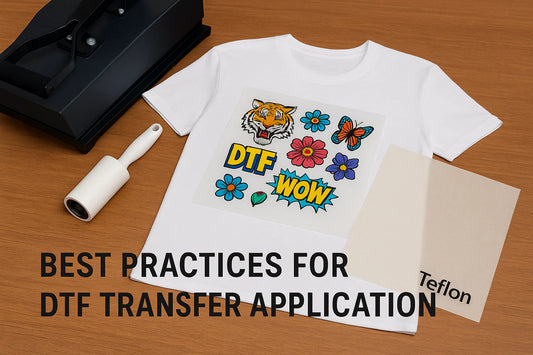
Pre-press or iron the garment for a few seconds to remove moisture and wrinkles. Use a lint roller to remove dust or fibers from the surface.
Place the transfer exactly where you want it. For shirts, use a ruler or placement guide to keep the design centered.
Applying the Iron-On Transfer
Follow the instructions for your specific transfer type. Settings may vary depending on the transfer paper, fabric, and equipment.
For DTF transfers, a common heat press range is around 290–310°F for 7–10 seconds with medium pressure. If using a household iron, apply firm pressure and avoid steam.
Basic application steps:
Place the garment on a firm, heat-resistant surface.
Position the transfer on the fabric.
Cover with parchment paper or a Teflon sheet if needed.
Apply heat and pressure.
Let the transfer cool if required.
Peel according to the transfer instructions.
Optional: press again for a few seconds for extra durability.
Internal link placement: In this section, link the phrase DTF heat press settings to your heat press settings page.
Common Design Mistakes to Avoid
Many iron-on transfer problems start before the transfer is ever pressed. Artwork, sizing, file quality, and placement all affect the final result.
Avoid these common mistakes:
Uploading low-resolution images
Using screenshots instead of original artwork files
Forgetting to remove the background
Choosing colors with poor contrast
Making thin text too small
Ordering the wrong transfer size
Placing the design too high, too low, or off-center
Using the wrong fabric or heat setting
Washing the garment too soon after pressing
Taking a few extra minutes to check your file, size, and placement can prevent most problems.
Many issues people experience with custom iron on transfers can be traced back to artwork quality, incorrect sizing, or poor placement rather than the transfer itself.
Caring for Your Finished Product
Wait at least 24 hours before washing the garment. Turn it inside out and wash with cold water on a gentle cycle. Use mild detergent and avoid bleach or fabric softener.
Tumble dry on low heat or hang dry when possible. Do not iron directly on the design.
Proper care helps keep your transfer vibrant and long-lasting.
Common Iron-On Transfer Problems
Why is my transfer peeling?
Peeling usually happens because of low pressure, incorrect temperature, not enough pressing time, or moisture in the fabric.
Why does my design look faded?
Fading can happen when using low-quality transfer paper, low-resolution artwork, or incorrect printer settings.
Why is the transfer not sticking?
The surface may not have been prepared properly, or the heat and pressure may not have been strong enough.
Why does the design feel heavy?
Traditional transfer paper can feel heavier than DTF transfers, especially on larger designs.
When Should You Order DTF Transfers Instead?
Ordering custom DTF transfers may be the better choice if you want:
Professional-quality prints
Brighter colors
Better durability
Transfers for dark shirts
Multiple designs on one gang sheet
No printer setup or transfer paper testing
A cleaner finish for customer orders
Many customers switch from iron on transfer paper to custom heat transfers because they want professional-quality results without investing in printing equipment, transfer paper testing, or repeated trial and error.
At Sam’s DTF Transfers, we print custom DTF transfers for small businesses, apparel brands, schools, sports teams, Etsy sellers, and creators across the U.S. You can order by size, upload a ready gang sheet, or build your own gang sheet online.
You May Save Money by Ordering Transfers
For many small businesses, ordering custom DTF transfers can be more affordable than purchasing transfer paper, replacing printer cartridges, testing multiple designs, and investing in equipment.
Ready to Create Your Own Custom Transfers?
If you want professional iron-on results without printing transfers at home, Sam’s DTF Transfers makes it easy.
Order custom DTF Transfers By Size, upload your ready gang sheet, or use our Gang Sheet Builder to arrange multiple designs on one sheet.
With no minimum order requirements, no setup fees, and fast production options, you can create custom apparel without investing in expensive printing equipment.
{"layoutMobile":2,"layoutDesktop":3,"buttonAlign":"Center","buttonText":"Buy now","productTitle":{"hue":213,"brightness":0.83,"saturation":1},"priceColor":{"hue":0,"saturation":1,"brightness":0},"discountPrice":{"hue":356,"saturation":0.74,"brightness":1},"buttonColor":{"hue":213,"brightness":0.83,"saturation":1},"textBottomColor":{"hue":0,"saturation":0,"brightness":1},"activeTitleButton":true,"moreProduct":"View all","moreProductUrl":"samsdtftransfers.com","rowNumber":1,"dynamicProductId":[{"id":"gid://shopify/Product/7714121089179","title":"DTF Transfers By Size","handle":"dtf-transfers-by-size","currencyCode":"USD","amountMax":"13.0","amountMin":"0.9","price":"0.90","compareAtPrice":"1.00","imagesUrl":"https://cdn.shopify.com/s/files/1/0314/2375/8471/files/dtf-transfers-by-size-pp.webp?v=1748860590&width=600","additionalImages":["https://cdn.shopify.com/s/files/1/0314/2375/8471/files/Custom-By-Size-DTF-Transfers-in-Texas-Dallas.webp?v=1748860590&width=600","https://cdn.shopify.com/s/files/1/0314/2375/8471/files/Custom_By_Size_DTF_Transfers_Size_Guide_Table.webp?v=1748860590&width=600","https://cdn.shopify.com/s/files/1/0314/2375/8471/files/Custom_By_Size_DTF_Transfers_Size_Size_10_5_x_10x5_Width.webp?v=1748860590&width=600","https://cdn.shopify.com/s/files/1/0314/2375/8471/files/Custom_By_Size_DTF_Transfers_Size_9_x_9_Width.webp?v=1748860590&width=600","https://cdn.shopify.com/s/files/1/0314/2375/8471/files/Custom_By_Size_DTF_Transfers_Size_13_Width.webp?v=1748860590&width=600","https://cdn.shopify.com/s/files/1/0314/2375/8471/files/Custom_By_Size_DTF_Transfers_Size_12_x_12_Width.webp?v=1748860590&width=600","https://cdn.shopify.com/s/files/1/0314/2375/8471/files/Custom_By_Size_DTF_Transfers_Size_8_x_8_Width.webp?v=1748860590&width=600","https://cdn.shopify.com/s/files/1/0314/2375/8471/files/Custom_By_Size_DTF_Transfers_Size_6_x_6_Width.webp?v=1748860590&width=600","https://cdn.shopify.com/s/files/1/0314/2375/8471/files/Custom_By_Size_DTF_Transfers_Size_10_x10_Width.webp?v=1748860590&width=600"],"urlStore":"/products/dtf-transfers-by-size","altImage":""},{"id":"gid://shopify/Product/7714123350171","title":"Upload Pre-made DTF Gang Sheet","handle":"dtf-gang-sheets-upload-ready","currencyCode":"USD","amountMax":"595.2","amountMin":"5.93","price":"5.93","compareAtPrice":"7.03","imagesUrl":"https://cdn.shopify.com/s/files/1/0314/2375/8471/files/Upload-Your-Gang-Sheet-DTF-Transfers-in-Texas-Dallas.webp?v=1744491750&width=600","additionalImages":["https://cdn.shopify.com/s/files/1/0314/2375/8471/files/Print_Upload_Your_DTF_Gang_Sheet_in_Texas.png?v=1744491752&width=600","https://cdn.shopify.com/s/files/1/0314/2375/8471/files/Print-Ready-to-Transfers-DTF-Gang-Sheet-12-x-22-Inches.webp?v=1744491754&width=600","https://cdn.shopify.com/s/files/1/0314/2375/8471/files/Print-Ready-to-Transfers-DTF-Gang-Sheet-120-x-22-Inches.webp?v=1744491756&width=600","https://cdn.shopify.com/s/files/1/0314/2375/8471/files/Print-Ready-to-Transfers-DTF-Gang-Sheet-1200-x-22-Inches.webp?v=1744491758&width=600","https://cdn.shopify.com/s/files/1/0314/2375/8471/files/Print-Ready-to-Transfers-DTF-Gang-Sheet-144-x-22-Inches.webp?v=1744491760&width=600","https://cdn.shopify.com/s/files/1/0314/2375/8471/files/Print-Ready-to-Transfers-DTF-Gang-Sheet-180-x-22-Inches.webp?v=1744491762&width=600","https://cdn.shopify.com/s/files/1/0314/2375/8471/files/Print-Ready-to-Transfers-DTF-Gang-Sheet-204-x-22-Inches.webp?v=1744491764&width=600","https://cdn.shopify.com/s/files/1/0314/2375/8471/files/Print-Ready-to-Transfers-DTF-Gang-Sheet-24-x-22-Inches.webp?v=1744491766&width=600","https://cdn.shopify.com/s/files/1/0314/2375/8471/files/Print-Ready-to-Transfers-DTF-Gang-Sheet-240-x-22-Inches.webp?v=1744491768&width=600"],"urlStore":"/products/dtf-gang-sheets-upload-ready","altImage":"Upload Pre-made DTF Gang Sheet - Sam's DTF Transfers"},{"id":"gid://shopify/Product/8522199564443","title":"New DTF Gang Sheet Builder","handle":"build-dtf-gang-sheet","currencyCode":"USD","amountMax":"88.8","amountMin":"6.6","price":"6.60","compareAtPrice":"8.19","imagesUrl":"https://cdn.shopify.com/s/files/1/0314/2375/8471/files/Build-Your-Gang-Sheet-DTF-Transfers-in-Texas-Dallas.webp?v=1750077699&width=600","additionalImages":["https://cdn.shopify.com/s/files/1/0314/2375/8471/files/Home-Products-Image-GangSheetBuilder-Min.jpg?v=1750077699&width=600","https://cdn.shopify.com/s/files/1/0314/2375/8471/files/DTF-Gang-Sheet-Builder-Order-Free-12-x-22-Inches.png?v=1750077699&width=600","https://cdn.shopify.com/s/files/1/0314/2375/8471/files/DTF-Gang-Sheet-Builder-Order-Free-120-x-22-Inches.png?v=1750077699&width=600","https://cdn.shopify.com/s/files/1/0314/2375/8471/files/DTF-Gang-Sheet-Builder-Order-Free-140-x-22-Inches.png?v=1750077699&width=600","https://cdn.shopify.com/s/files/1/0314/2375/8471/files/DTF-Gang-Sheet-Builder-Order-Free-160-x-22-Inches.png?v=1750077699&width=600","https://cdn.shopify.com/s/files/1/0314/2375/8471/files/DTF-Gang-Sheet-Builder-Order-Free-180-x-22-Inches.png?v=1750077699&width=600","https://cdn.shopify.com/s/files/1/0314/2375/8471/files/DTF-Gang-Sheet-Builder-Order-Free-20-x-22-Inches.png?v=1750077699&width=600","https://cdn.shopify.com/s/files/1/0314/2375/8471/files/DTF-Gang-Sheet-Builder-Order-Free-200-x-22-Inches.png?v=1750077699&width=600","https://cdn.shopify.com/s/files/1/0314/2375/8471/files/DTF-Gang-Sheet-Builder-Order-Free-240-x-22-Inches.png?v=1750077699&width=600"],"urlStore":"/products/build-dtf-gang-sheet","altImage":"Custom DTF Gang Sheet Builder - Sam's DTF Transfers"}],"typeSearch":"product","device":"desktop","decimalsPrice":2,"aspectRatio":"1 / 1","isAutoPlay":false,"isNavigation":false,"isPriceDisplay":false,"rowDynamic":"mot","activeDecimals":false,"hidden":false,"locked":false,"positionPrice":false,"currencyCodeCustom":"$","cssContent":"","isRemoveBranding":true,"componentId":"undefined","activeDynamicProd":true,"blockName":"Product"}
Yes. You can make iron-on transfers at home using transfer paper, an inkjet printer, and a household iron. For more professional results, you can order custom DTF transfers and apply them yourself.
Are DTF transfers considered iron-on transfers?
Yes, DTF transfers can be used like iron-on transfers because they are applied with heat and pressure. However, they are professionally printed and usually offer better color and durability than standard transfer paper.
Can I use a regular iron for DTF transfers?
Yes, a household iron can work for some DTF transfers, but a heat press is recommended for the most consistent results.
What size should my iron-on transfer be?
It depends on the garment and placement. Adult front designs are often around 10"–12" wide, left chest designs are usually 3"–4" wide, and full back designs are commonly 11"–14" wide.
What file type is best for custom DTF transfers?
A high-resolution PNG with a transparent background is usually a strong choice. For best results, use clean artwork at 300 DPI whenever possible.
Why does my iron-on transfer look blurry?
Blurry transfers usually come from low-resolution artwork, screenshots, or images enlarged beyond their original quality.
What fabric works best for iron-on transfers?
Cotton and cotton-polyester blends are usually the best choices. DTF transfers also work on many other fabrics, including polyester and blends.
How long do iron-on transfers last?
The lifespan depends on the transfer type, application method, and wash care. Professionally printed DTF transfers usually last longer than basic transfer paper when applied and washed correctly.
Should I use transfer paper or DTF transfers?
Use transfer paper for simple DIY projects. Use DTF transfers when you want professional quality, better durability, vibrant colors, and a cleaner finish.
Do I Need a Heat Press for Iron-On Transfers?
No. You can use a household iron for many projects. However, a heat press provides more even pressure and generally produces more consistent, professional results.
What are custom heat transfers?
Custom heat transfers are professionally printed designs that can be applied to garments using heat and pressure. They are commonly used for custom t-shirts, apparel brands, school events, sports teams, and promotional products.
What is the best option for heat transfers for shirts?<
For simple DIY projects, iron on transfer paper may be enough. For better durability, brighter colors, and professional-quality results, most businesses and apparel creators choose custom DTF heat transfers.
{"id":"Avada-Tool__RelatedBlogs-3","posts":[{"id":"gid://shopify/Article/565448376475","title":"How Durable Are DTF Transfers? A Guide to Longevity and Care","imageUrl":"https://cdn.shopify.com/s/files/1/0314/2375/8471/articles/thumbnail_09787c27-9769-49c2-a641-53da1008fdf0.jpg?v=1744491402&width=400","imageAlt":"How Durable Are DTF Transfers? A Guide to Longevity and Care - Sam's DTF Transfers","handle":"how-durable-are-dtf-transfers-a-guide-to-longevity-and-care","blogTitle":"DTF Talks","blogHandle":"dtf-talks","publishedAt":"2024-10-25T11:37:01Z","summary":"Explore the durability of DTF transfers, their care, and how to maximize their lifespan for vibrant, long-lasting prints.","postUrl":"https://samsdtftransfers.com/blogs/dtf-talks/how-durable-are-dtf-transfers-a-guide-to-longevity-and-care"},{"id":"gid://shopify/Article/567209787547","title":"5 Tips to Get the Best Results from Your DTF Transfers: Essential DTF Printing Tips for Beginners","imageUrl":"https://cdn.shopify.com/s/files/1/0314/2375/8471/articles/DTF_Printing_Tips.png?v=1762986115&width=400","imageAlt":"DTF printing tips with a vibrant ready-to-press transfer beside a heat press at Sam’s DTF Transfers","handle":"essential-dtf-printing-tips","blogTitle":"Custom DTF Transfers","blogHandle":"custom-dtf-transfers","publishedAt":"2025-11-12T22:18:45Z","summary":"
Master five proven DTF printing tips to get crisp, vibrant results: choose quality transfers, use negative space, prep files at the right DPI, keep edges hard, and follow safe line weights/halftones. Press with confidence using Sam’s DTF Transfers—hot-peel, no minimums, same-day printing, and free shipping
","postUrl":"https://samsdtftransfers.com/blogs/custom-dtf-transfers/essential-dtf-printing-tips"},{"id":"gid://shopify/Article/567215063195","title":"Common DTF Artwork & Printing Mistakes (and How to Avoid Them)","imageUrl":"https://cdn.shopify.com/s/files/1/0314/2375/8471/articles/common-dtf-printing-mistakes-hero.png?v=1763030756&width=400","imageAlt":"Person comparing blurry and sharp DTF prints on t-shirts, illustrating common DTF printing mistakes","handle":"how-to-avoid-common-dtf-mistakes","blogTitle":"Custom DTF Transfers","blogHandle":"custom-dtf-transfers","publishedAt":"2025-11-14T11:37:01Z","summary":"
Common DTF mistakes—like low-resolution artwork, wrong file formats, tricky Canva settings, and bad heat press technique—can quickly ruin your prints. This guide walks you through how to prepare your files, avoid halos and fuzzy edges, and press transfers the right way so your DTF prints come out clean, vibrant, and professional every time.
","postUrl":"https://samsdtftransfers.com/blogs/custom-dtf-transfers/how-to-avoid-common-dtf-mistakes"},{"id":"gid://shopify/Article/565326512283","title":"Can I print full-color designs using DTF Transfer printing?","imageUrl":"https://cdn.shopify.com/s/files/1/0314/2375/8471/articles/thumbnail_64a13a59-6464-43bc-9c89-6624988c52d5.jpg?v=1744491421&width=400","imageAlt":"Can I print full-color designs using DTF Transfer printing? - Sam's DTF Transfers","handle":"can-i-print-full-color-designs-using-dtf-transfer-printing","blogTitle":"DTF Talks","blogHandle":"dtf-talks","publishedAt":"2024-09-29T21:33:01Z","summary":"Explore DTF Transfer printing for vibrant, full-color designs on various fabrics. Unleash your creativity today!","postUrl":"https://samsdtftransfers.com/blogs/dtf-talks/can-i-print-full-color-designs-using-dtf-transfer-printing"}],"isRemoveBranding":true,"heading":"Related posts","typeSearch":"post","device":"desktop","isShowExcerpt":true,"isShowPublishedDate":true,"hidden":false,"locked":false,"isBlankLink":false,"blockName":"Related posts","currentLocale":"en-US","cssContent":""}
Master five proven DTF printing tips to get crisp, vibrant results: choose quality transfers, use negative space, prep files at the right DPI, keep edges hard, and follow safe line weights/halftones. Press with confidence using Sam’s DTF Transfers—hot-peel, no minimums, same-day printing, and free shipping
Common DTF mistakes—like low-resolution artwork, wrong file formats, tricky Canva settings, and bad heat press technique—can quickly ruin your prints. This guide walks you through how to prepare your files, avoid halos and fuzzy edges, and press transfers the right way so your DTF prints come out clean, vibrant, and professional every time.
Hello Isela, thank you so much for your 5-star review! We’re happy to hear you had a great experience with our New DTF Gang Sheet Builder. We truly appreciate your support and look forward to helping with your next DTF transfer order.
Great price and design but no matter how long i heat. Try to peel and not all design sticking to shirt.
Hello Patrick, thank you for your feedback and for mentioning the price and design. We’re sorry to hear that the transfer did not fully stick to the shirt. This can sometimes happen due to press temperature, pressure, fabric type, or peel timing. We’d be happy to review the issue with you and help troubleshoot the application process. Please contact us with a photo of the pressed item and your heat press settings, and our team will gladly assist you.
Hello Bethany, thank you so much for your 5-star review! We’re happy to hear you had a great experience with our New DTF Gang Sheet Builder. We truly appreciate your support and look forward to helping with your next DTF transfer order.
Hello WrileyBafford , thank you so much for your 5-star review! We’re happy to hear you had a great experience with our New DTF Gang Sheet Builder. We truly appreciate your support and look forward to helping with your next DTF transfer order.
it is fast and easy to order y'all are amazing thank you so much I continue to order from y'all all the time and will continue to order
Hello Esmerelda, thank you so much for your amazing review and continued support! We’re so happy to hear that ordering is fast and easy for you. We truly appreciate your repeat orders and look forward to helping with many more DTF transfer projects.





0 comments